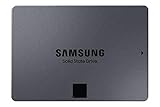
Lowest per TBSAMSUNG 860 QVO SSD 2TB - 2.5 Inch SATA 3 Internal Solid State Drive with V-NAND Technology (MZ-76Q2T0B/AM)
Samsung·2TB
£199.00
£99.50/TB per TB
From £11.00/TB·2,628 products·Updated 23 Sept 2026
421 products · Prices updated 23/09/2026
Compare NVMe SSDs (M.2 2280) with PCIe Gen 3, Gen 4, and Gen 5 speeds from Samsung, WD, Crucial, Kingston, and more. Find the fastest storage at the lowest price per terabyte in the UK.
Whether you are building a gaming PC, upgrading a laptop, or need fast scratch storage for video editing, our daily Amazon UK price tracking lets you filter by brand and capacity, then rank every drive by £/TB to spot the best-value NVMe deals.
As an Amazon Associate we earn from qualifying purchases. Prices shown are from Amazon UK in GBP and were accurate as of 23 September 2026; they are subject to change. The price and availability shown on Amazon at the time of purchase is the one that applies.
Samsung·2TB

Ediloca·128GB

Samsung·2TB
In 2026, a good price per terabyte for an NVMe SSD is around £50-80/TB for PCIe Gen4 drives. Gen3 NVMe drives can be found for £40-60/TB, while cutting-edge Gen5 drives command a premium at £100-150/TB. Prices drop significantly during sales events.
NVMe SSD prices range from around £25 for a 500GB Gen3 drive to £300+ for a high-end 4TB Gen4 drive. The sweet spot for most users is a 1TB-2TB Gen4 NVMe at £40-100. Use our price comparison above to find the best NVMe deals today.
Gen3 NVMe drives offer speeds up to 3,500MB/s, Gen4 doubles that to 7,000MB/s, and Gen5 can reach 12,000MB/s+. For most users, Gen4 offers the best balance of performance and value. Gen5 is overkill unless you work with massive files or need the absolute fastest speeds.
NVMe SSDs can throttle under sustained heavy loads due to heat. A heatsink helps maintain consistent performance. Many motherboards include M.2 heatsinks, and some NVMe drives come with pre-installed heatsinks. For PS5 use, ensure the total height (with heatsink) doesn't exceed 11.25mm.
Yes, PS5 supports M.2 NVMe SSDs that meet certain requirements: PCIe Gen4, 5,500MB/s read speed minimum, and 22mm width (2230/2242/2260/2280 lengths). Popular choices include Samsung 980 Pro, WD Black SN850, and Crucial P5 Plus. A heatsink is recommended.
For most everyday tasks, the difference between NVMe and SATA is minimal. NVMe shines in large file transfers, video editing, and professional workloads. However, NVMe prices have dropped so much that they are often only slightly more expensive than SATA SSDs, making them the default recommendation for new builds.
For gaming, 1TB is the minimum recommended size. Modern games can be 50-200GB each, so a 2TB NVMe gives you room for 10-20+ games plus your operating system. If you play many AAA titles, consider 2TB or larger. Check our 1TB and 2TB NVMe pages for the best gaming SSD deals.